
Counting scale accuracy guide and calculator
Counting scale accuracy
What affects your parts count?
Counting scale accuracy depends on how well the scale measures weight and how closely your sample represents the rest of the batch.
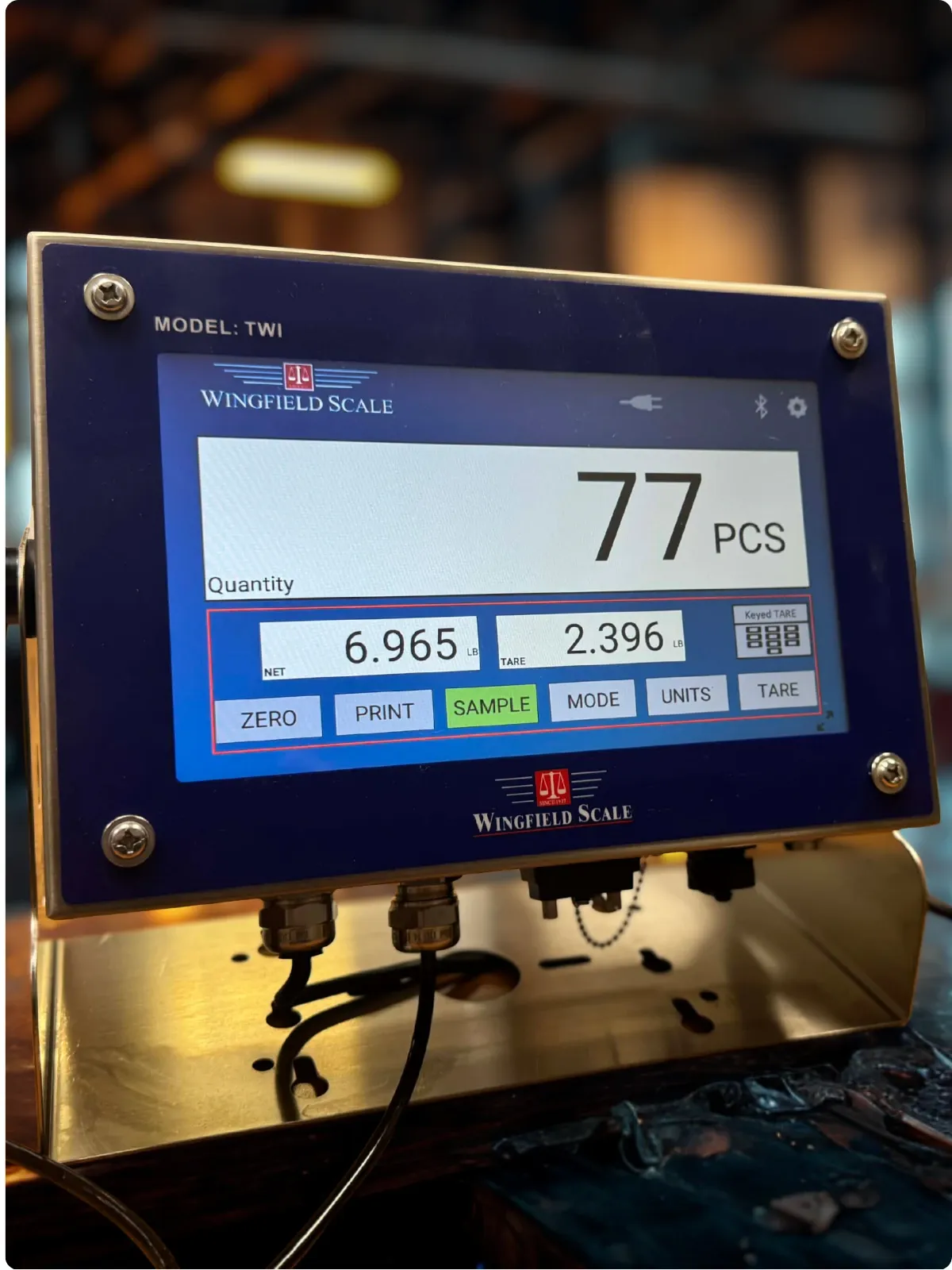
A sample that doesn’t represent the batch can throw off the whole bin’s count. Our TWI Color Touch Screen Indicator shows the piece weight and tare behind the displayed quantity.
Use the parts calculatorTry your own numbers
Count-by-weight calculator
Enter the number of pieces in your sample and their net weight. Then enter the full container’s gross weight and its empty weight. Your estimated count updates as you type.
Your estimated parts count
Updates as you type
- Average piece weight
- 5 g per part
- Net parts weight
- 10 kg
10 kg ÷ 5 g per part = 2,000 parts (units converted).
Estimated from your sample and net parts weight, rounded to the nearest whole part.
See the worked counting example
In this illustrative example, 50 pieces weigh 250 g, giving an average piece weight of 5 g. A full container weighing 12 kg with a 2 kg tare contains 10 kg of parts. Convert 10 kg to 10,000 g, then divide by 5 g per piece to obtain an estimated 2,000 pieces.
The calculator demonstrates the arithmetic. Check the result against independently counted parts to evaluate your actual counting process.
Start with the reference sample
How your sample affects counting scale accuracy
Count the sample carefully and use parts that represent the batch you’re checking. Changes in material, coating, dimensions or the mix of parts can change average piece weight. Keep different part numbers separate.
Choose a sample that provides sufficient weight for the scale and represents the variation in your parts. A larger representative sample can improve the piece-weight estimate.
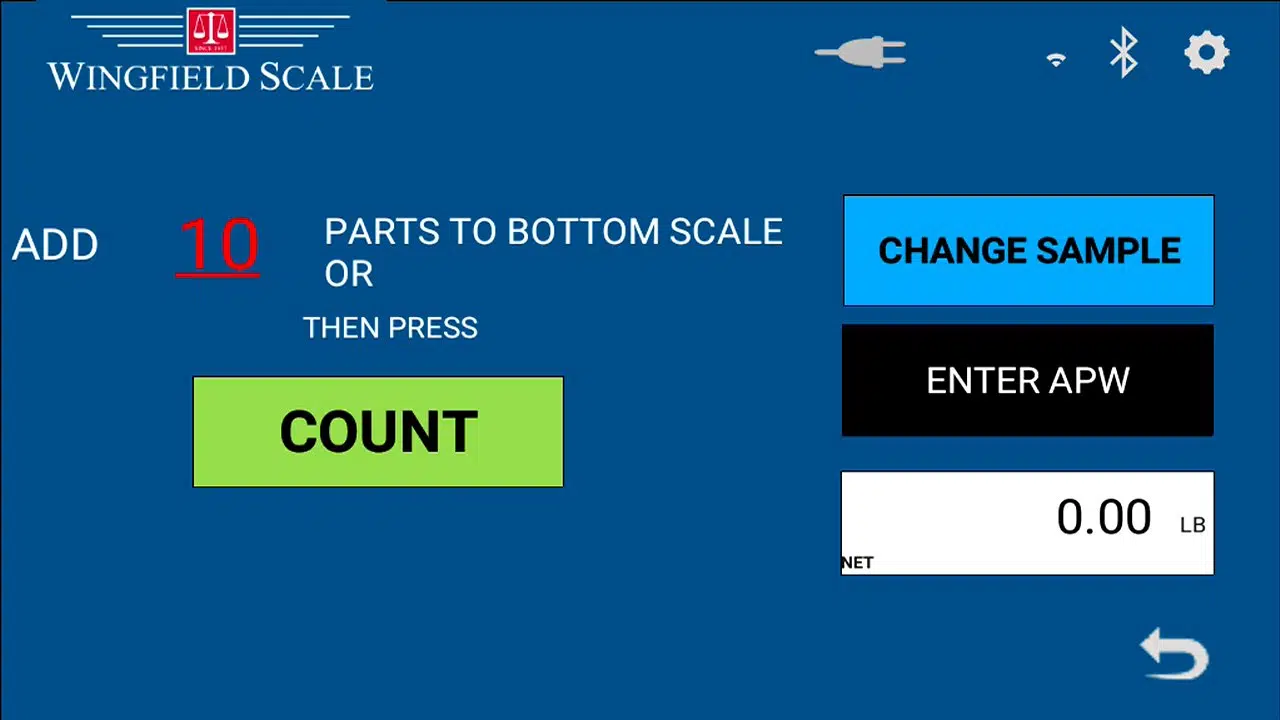
Follow the sample quantity on the screen
Our TWI indicator’s Counting Scale application uses SAMPLE to establish average piece weight. Its sample screen provides CHANGE SAMPLE and ENTER APW, which lets you enter a known average piece weight.
For step-by-step sampling and tare instructions, see our TWI Technical Reference Manual V1.00 (PDF, 3 MB).
For additional manufacturer guidance on sampling, scale sizing and part variation, see Rice Lake’s counting-scale resource center.
Six counting scale accuracy checks
Match the sample to the entered quantity
Recount the reference pieces. If you place 49 pieces on the platform and enter 50, the scale calculates a piece weight that is too low. That makes later counts too high.
Check the empty container’s tare
Use the tare for the container you’re actually weighing. A different bin, liner or tray changes the weight being subtracted. TWI supports both captured tare and keyed tare.
Check for a change in the parts
Review the part number and batch. Resample when a stored piece weight no longer represents the material, finish or dimensions of the parts being counted.
Choose a scale for accurate counting
Review the lightest piece, sample weight and largest loaded container. Display resolution describes the weight increments you see. Counting performance also depends on the scale’s measurement behavior and the parts themselves.
Let the reading settle
Place the scale on suitable stable support, away from drafts and vibration. Check that the container sits fully on the platform and touches no surrounding surface.
Verify your counting accuracy
Check known quantities from your actual stock. Record the displayed quantity and the verified quantity, and compare the difference with the counting tolerance your operation requires.
If the weight reading itself is unstable or fails your weight checks, we can review the equipment through our scale calibration and repair services.
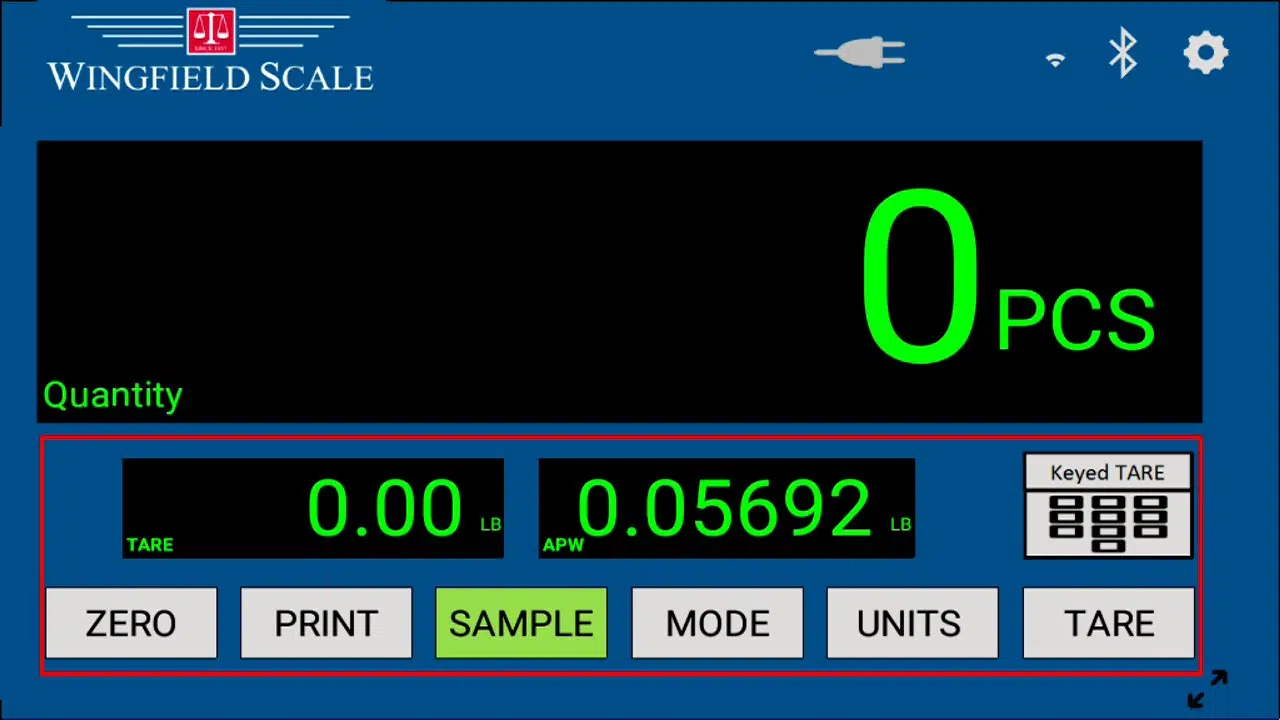
Check the inputs behind counting performance
Our TWI counting screen shows the quantity alongside average piece weight and tare. Its MODE control lets you review gross weight, tare, net weight, APW and quantity.
Check those inputs when a result needs investigating.
Prepare repeated checks
Keep the correct piece weight and tare with the part
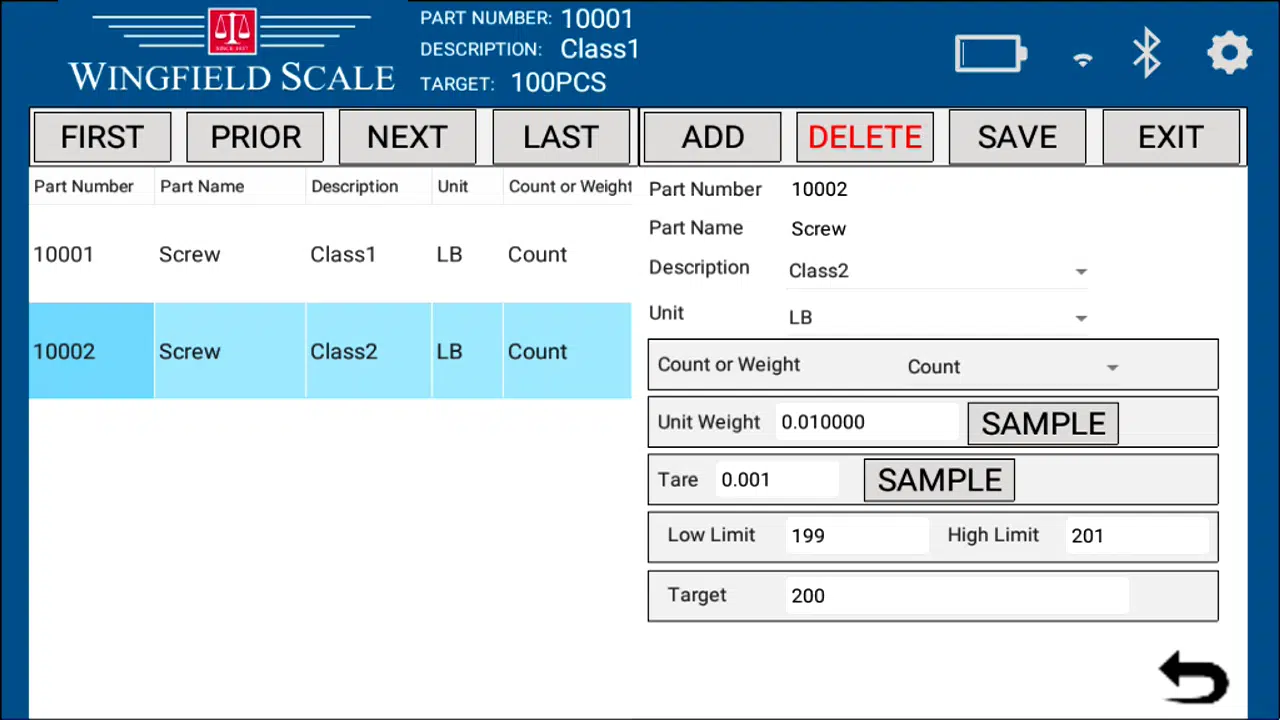
Our TWI indicator’s Check Weigh Scale application stores part identity, average piece weight, tare, limits and a target in a part record.
Recall the matching record, then confirm that its piece weight and container tare still apply to the current job. You can also import part records from Excel, using the column order and USB procedure in the manual.
You can record inventory information on a tablet with our separate AllCount inventory application.
Choose the scale around your parts and containers
A single platform may suit your sample and bulk loads. For light parts in heavier containers, a paired system can use a sampling scale suited to the piece weight and a larger platform suited to the bulk load.
Counting scale accuracy questions
How accurate are counting scales?
Counting performance depends on the scale, sample, piece-weight variation, tare and operating conditions. Establish the acceptable count difference for your job, then check the system against independently counted quantities of your own parts.
How many pieces should I use for a counting-scale sample?
Use the equipment’s sampling guidance, sufficient sample weight and parts representative of the batch. TWI’s documented default is ten pieces, with an adjustable sample quantity. Confirm the choice through independent count checks.
Can I reuse a saved average piece weight?
Yes, when it still represents the parts being counted. Check the part identity and current batch before reuse. TWI’s Check Weigh application stores average piece weight in its part records, and its Counting application also accepts a known APW.
Can I rent counting scales for physical inventory?
Yes. We offer scale rentals for temporary and periodic weighing needs. Share your inventory dates, quantities, sample requirements and load ranges so we can review suitable equipment with you.
Get help with counting scale accuracy
We can review your counting setup and help you investigate an unexpected result. Explore our inventory scale and support services, or send us the details below.
Helpful details to send
- The lightest part and a typical batch quantity.
- Your largest loaded container and how you handle it.
- Your required count tolerance and inventory dates.

Tell us about your counting job
Prefer to talk? Call 423-698-0100.